Stripe Transaction Level IC Fees Report
If you are a Stripe customer, your Rivet account manager may ask you to export the Transaction Level IC Fees Report when the audit needs transaction-by-transaction interchange detail.
Rivet uses this transaction-level report to investigate specific downgrade patterns, compare interchange outcomes across individual transactions, and validate where recoverable savings may exist.
We will usually ask you to export the Interchange Plan Level Fees Report first, and only ask for this transaction-level report when more detail is needed.
Export Stripe data
To pull the Transaction Level IC Fees Report for your audit, follow these steps:
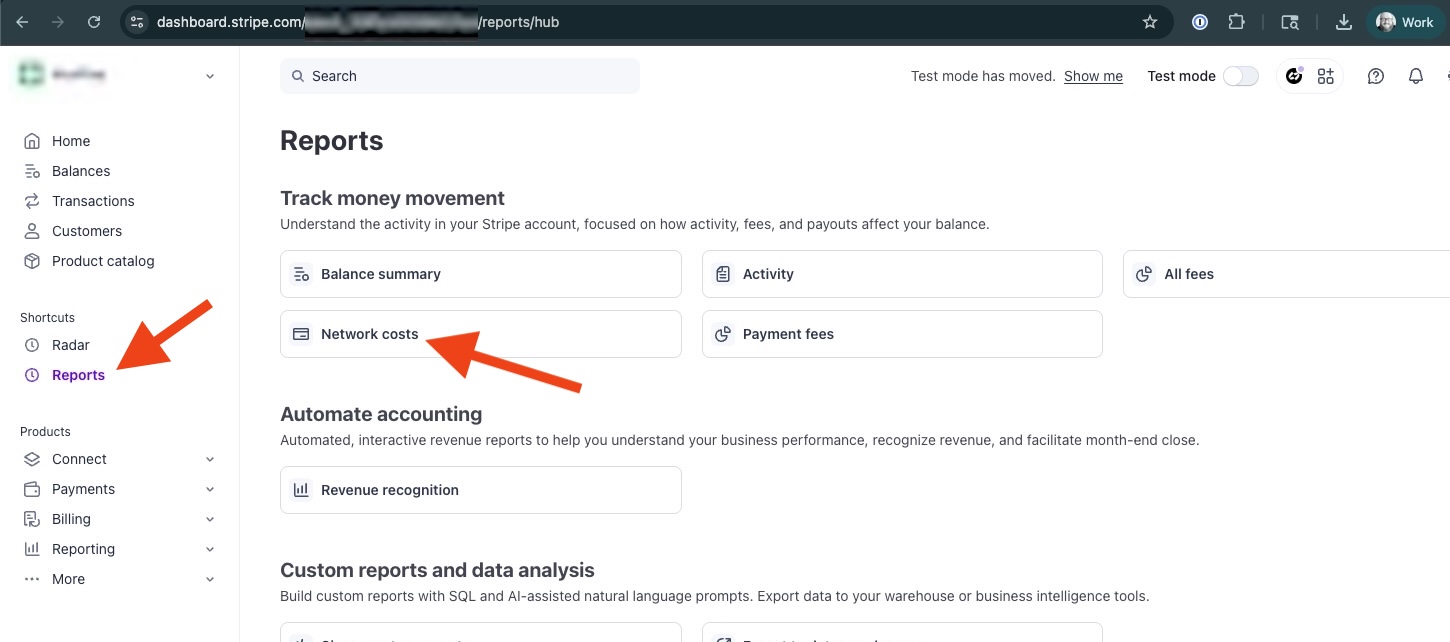
Step 1: Click Reports in the left sidebar, then click Network costs.
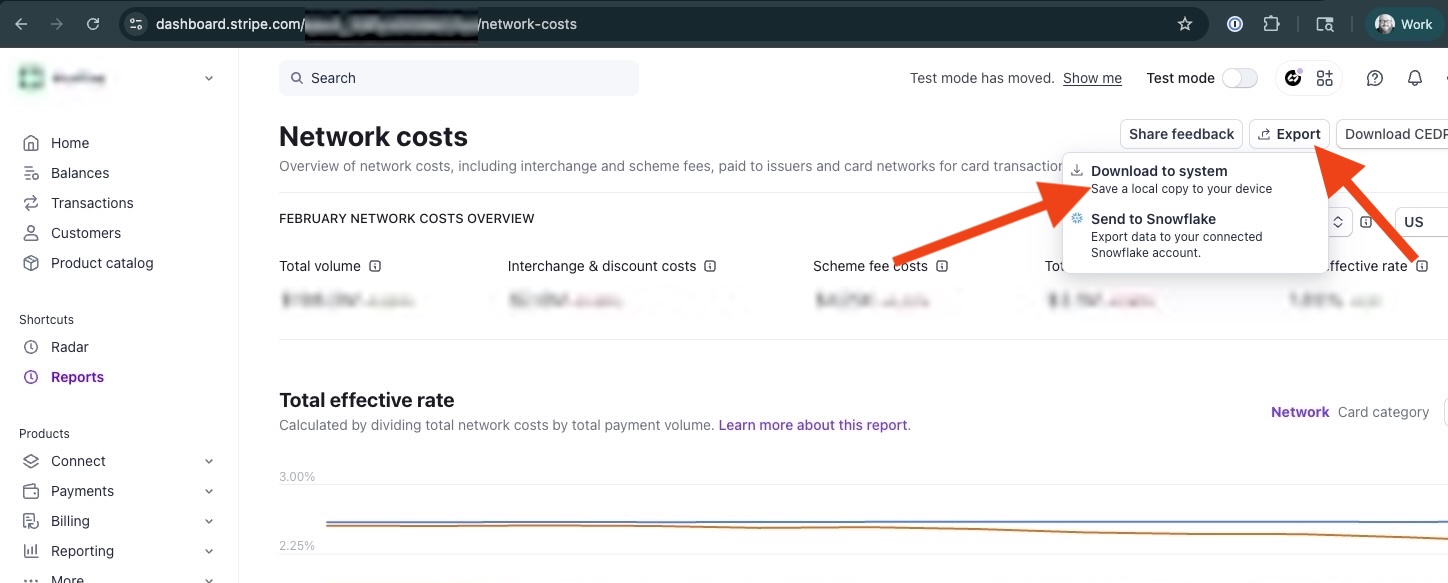
Step 2: Click the Export button and then Download to system.
Step 3: Change the date range dropdown to Year-to-date, change the Columns dropdown to All, then click the Download button.
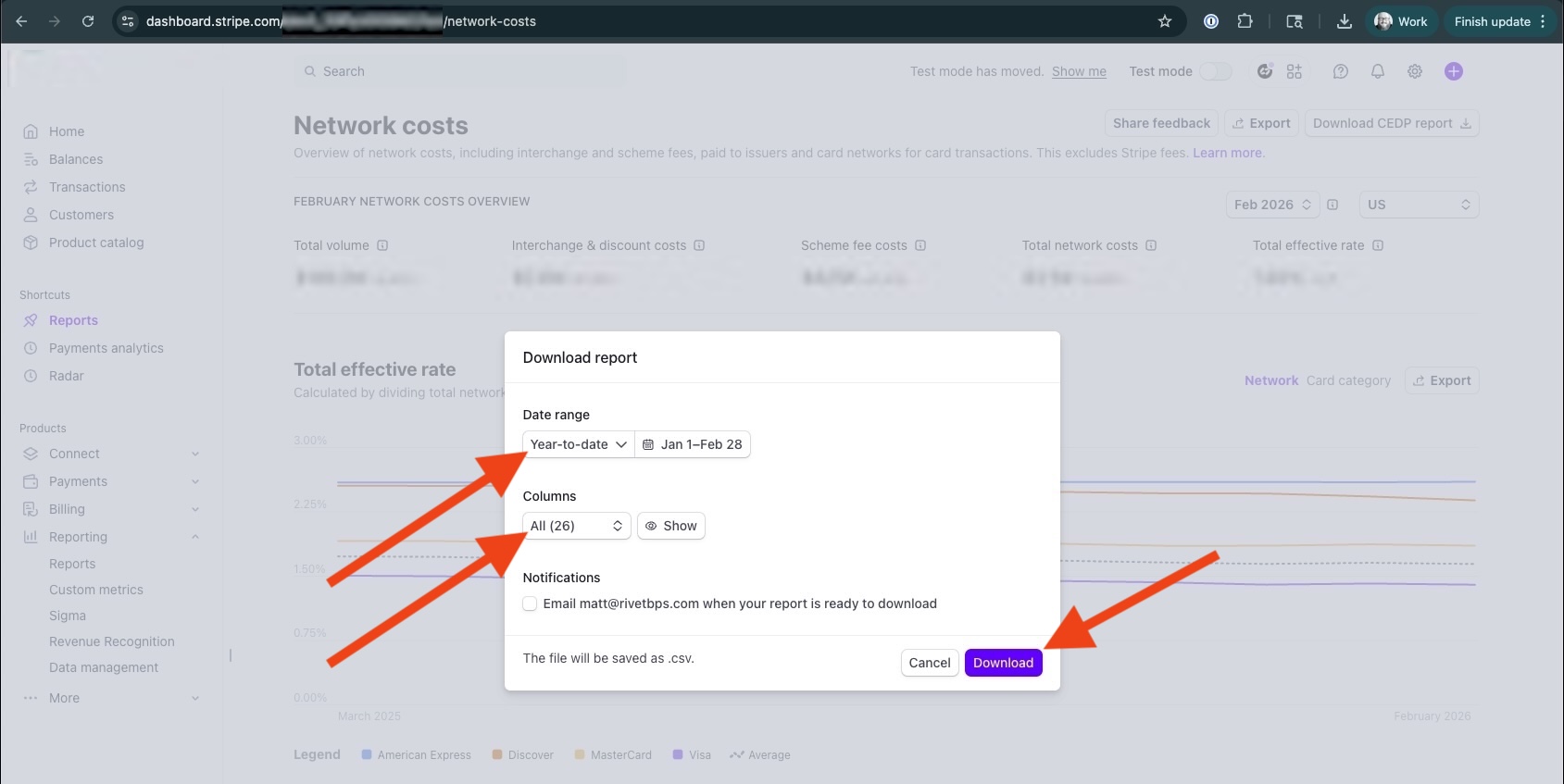
A CSV file will be downloaded to your computer.