Stripe Interchange Plan Level Fees Report
If you are a Stripe customer, your Rivet account manager may ask you to export the Interchange Plan Level Fees Report from Stripe's dashboard.
Rivet uses this report to understand your baseline interchange costs, identify fee categories that may be driving downgrades, and estimate the savings opportunities that RivetMonitor and RivetOptimize can help address.
This report provides a rollup of fees paid by your business for each network fee type over a given time period. If Rivet needs to drill down into transaction-by-transaction data later, we may also ask you to export the Transaction Level IC Fees Report.
Export Stripe data
To pull the Interchange Plan Level Fees Report for your audit, follow these steps:
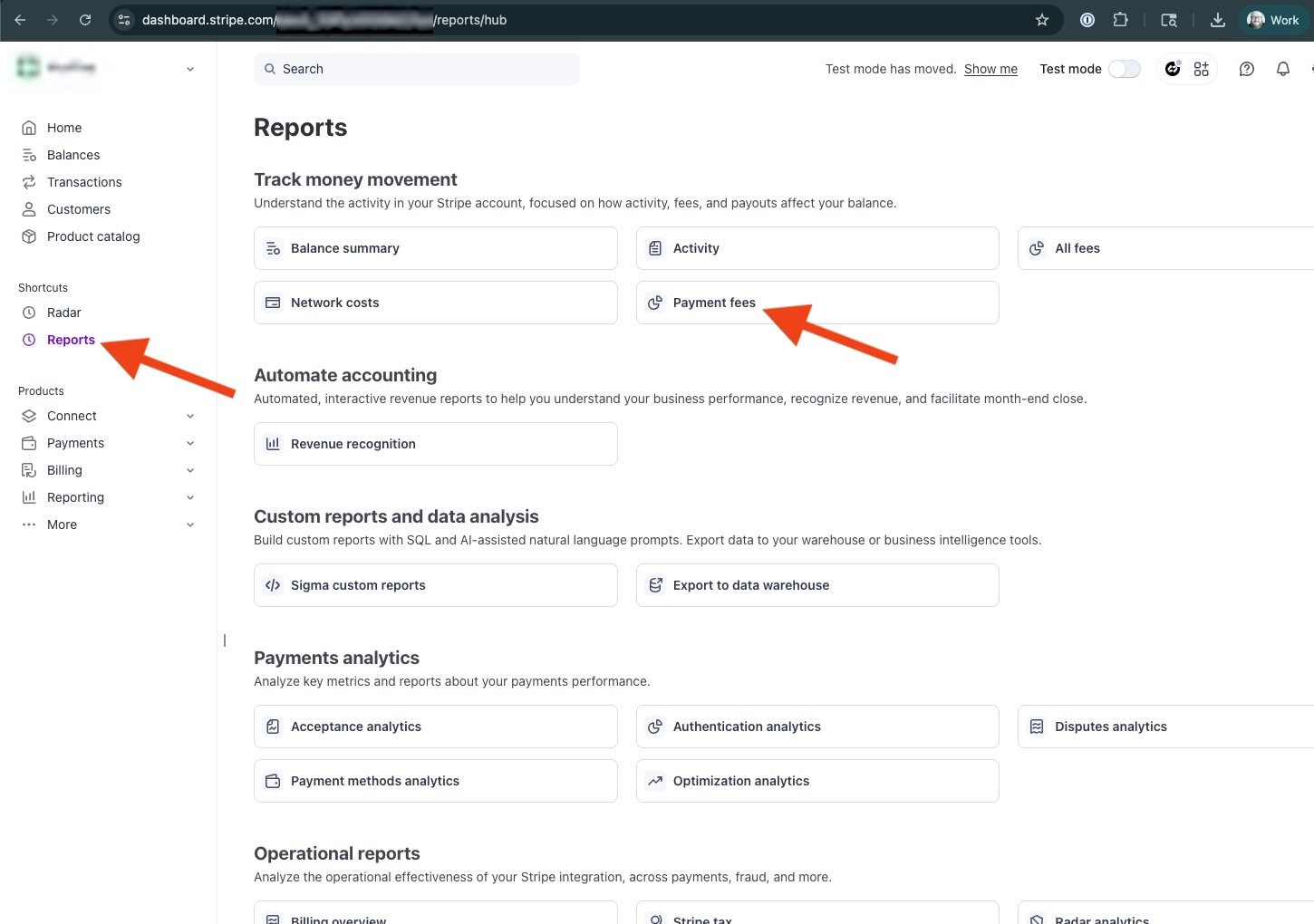
Step 1: Click Reports in the left sidebar, then click Payment fees under the Track money movements section.
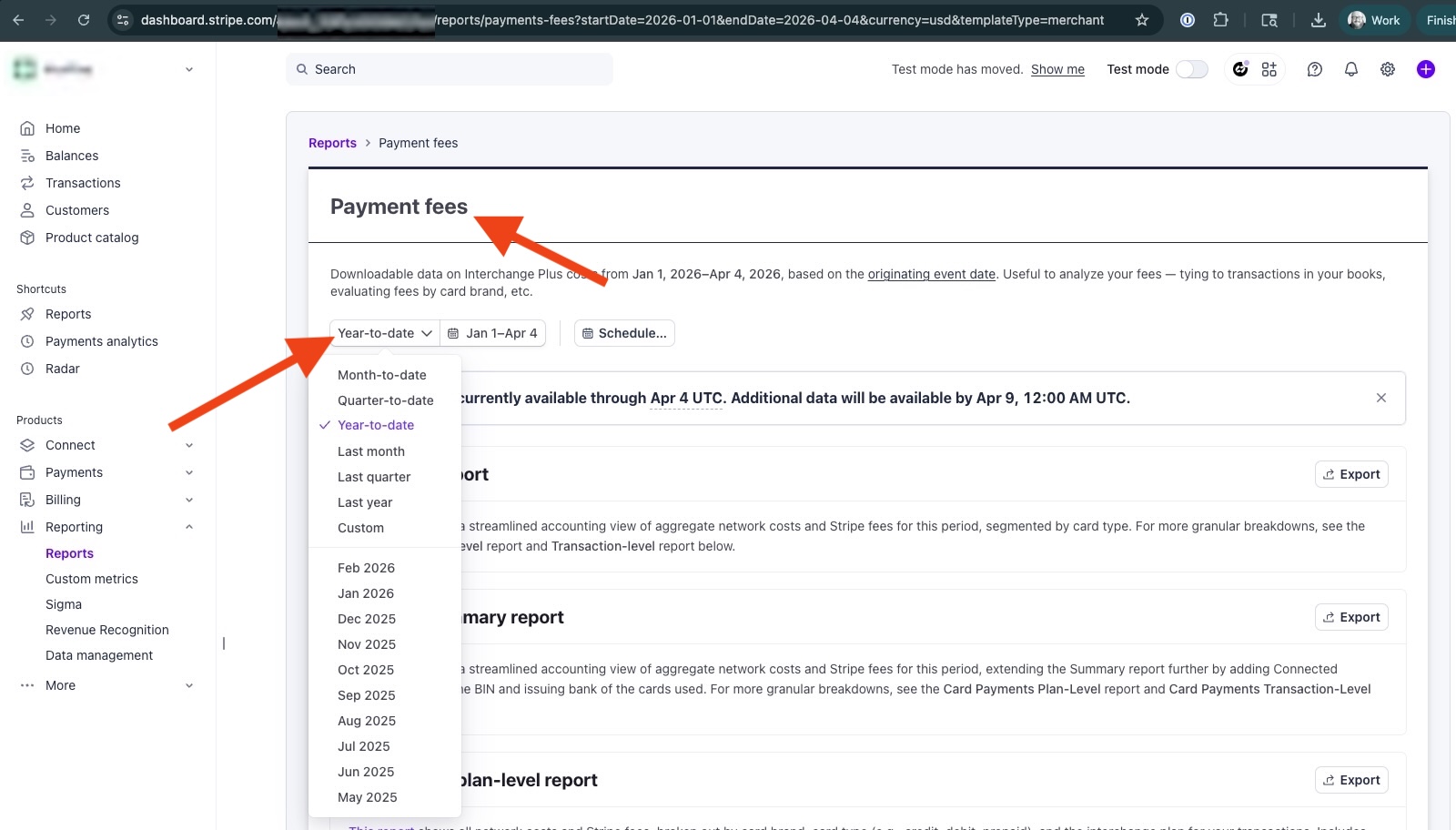
Step 2: Under the Payment fees header, change the date dropdown to Year-to-date.
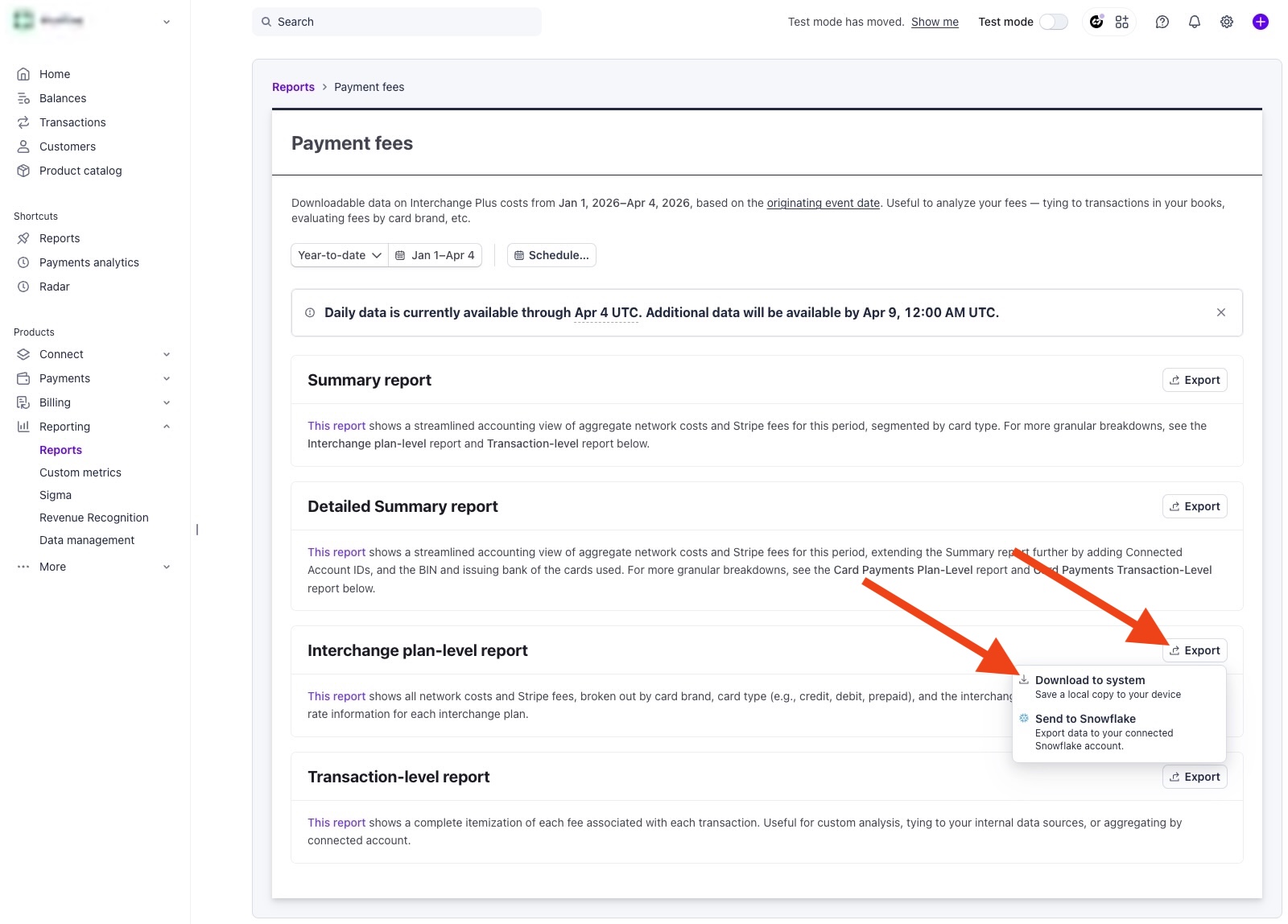
Step 3: On the Interchange plan-level report item, click the Export button and then Download to system.
Step 4: In the Columns dropdown, select All, then click the Download button.
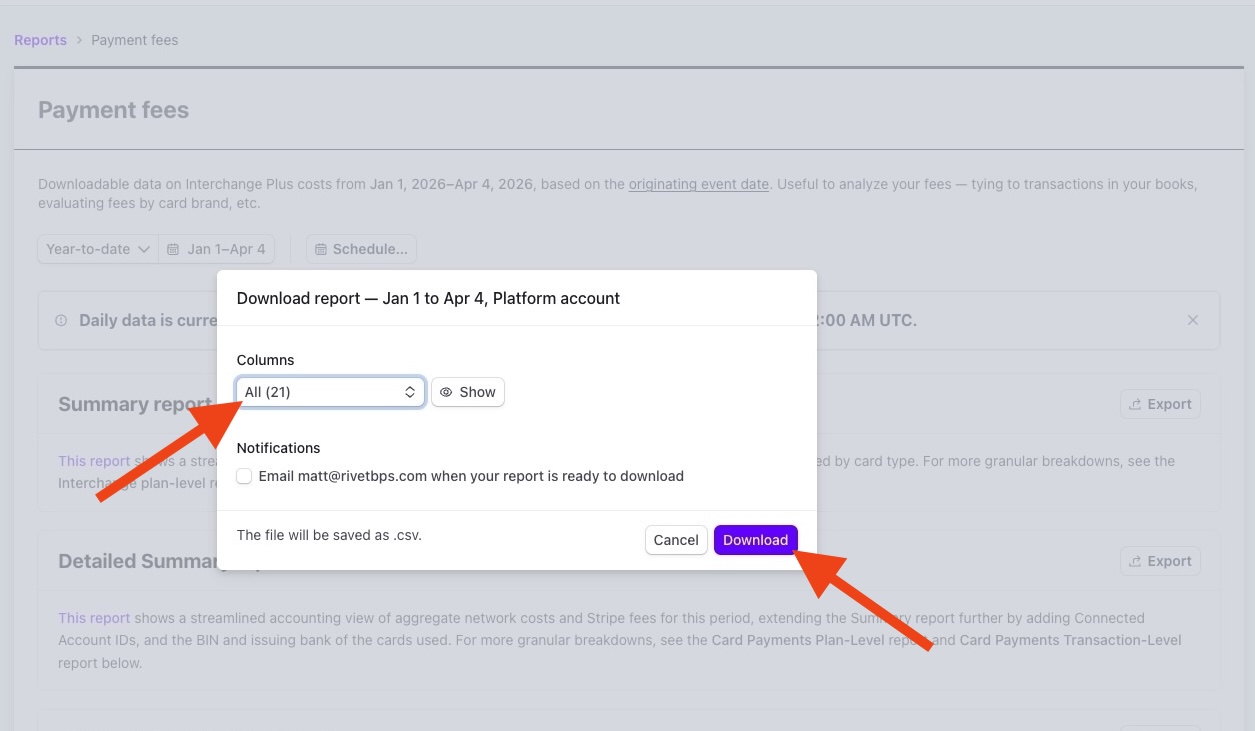
A CSV file will be downloaded to your computer.