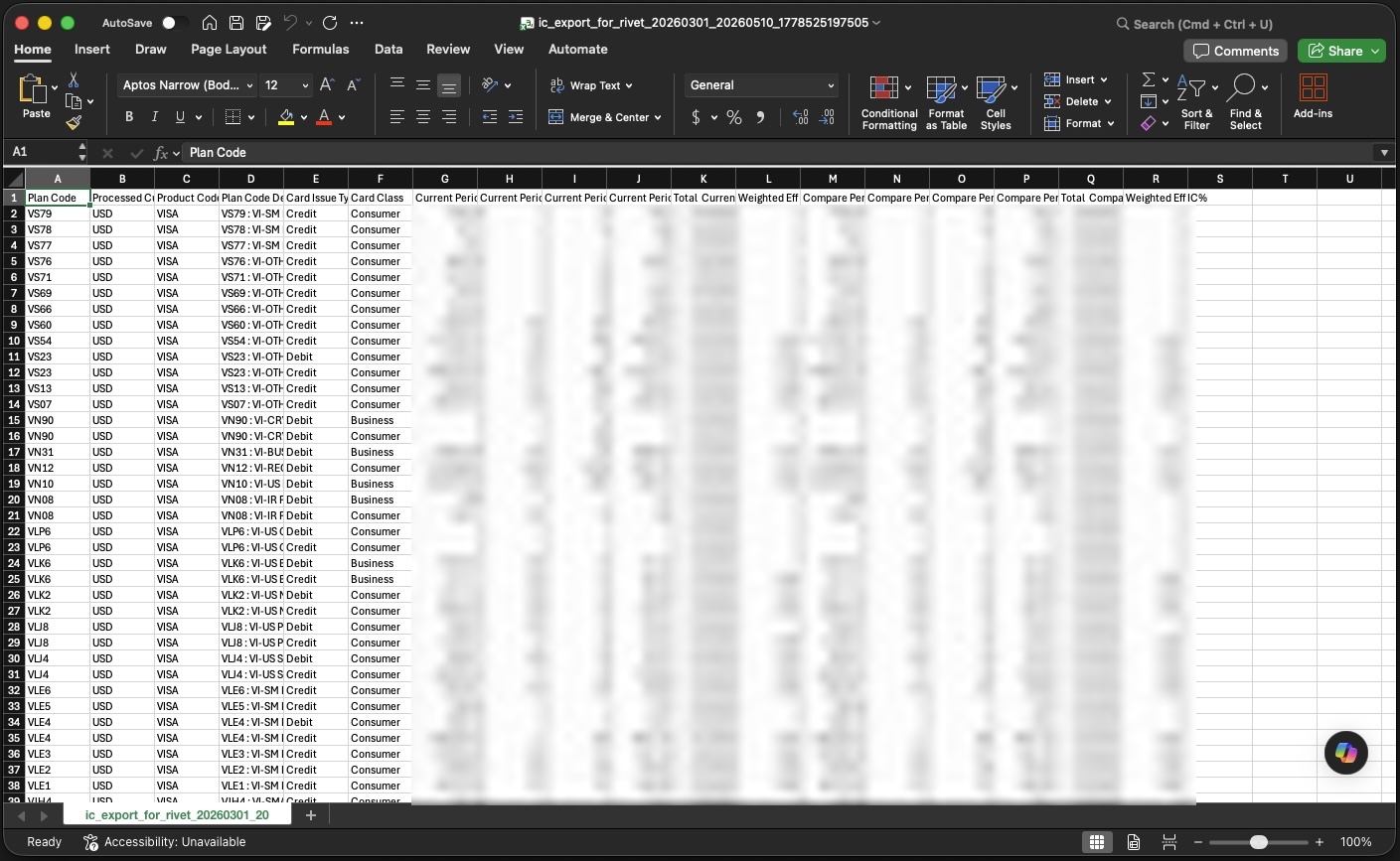
Fiserv Commerce Control Center Interchange Search Report
If you use Fiserv's Commerce Control Center, your Rivet account manager may ask you to export the Interchange Search Report from the Commerce Control Center dashboard.
Rivet uses this report to review interchange outcomes across your processing activity, identify downgrade categories, and quantify potential recoverable savings.
The Interchange Search Report shows interchange data for your processing activity over a given time period. The exact date range and fields needed for RivetAudit should be confirmed with your account manager.
Export Commerce Control Center data
Log into Fiserv Commerce Control Center www.businesstrack.com opens in a new window, then follow the directions below...
Step 1: Click View then Settlement
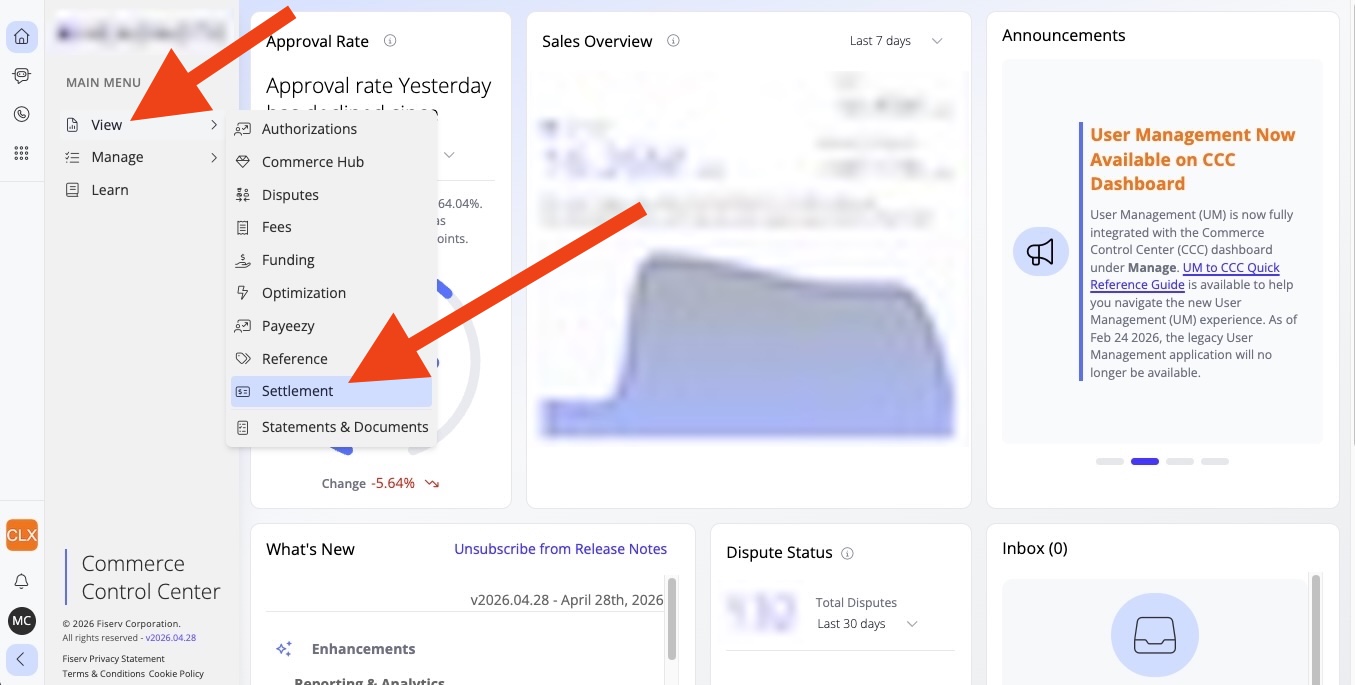
Step 2: Click the report item Interchange Search
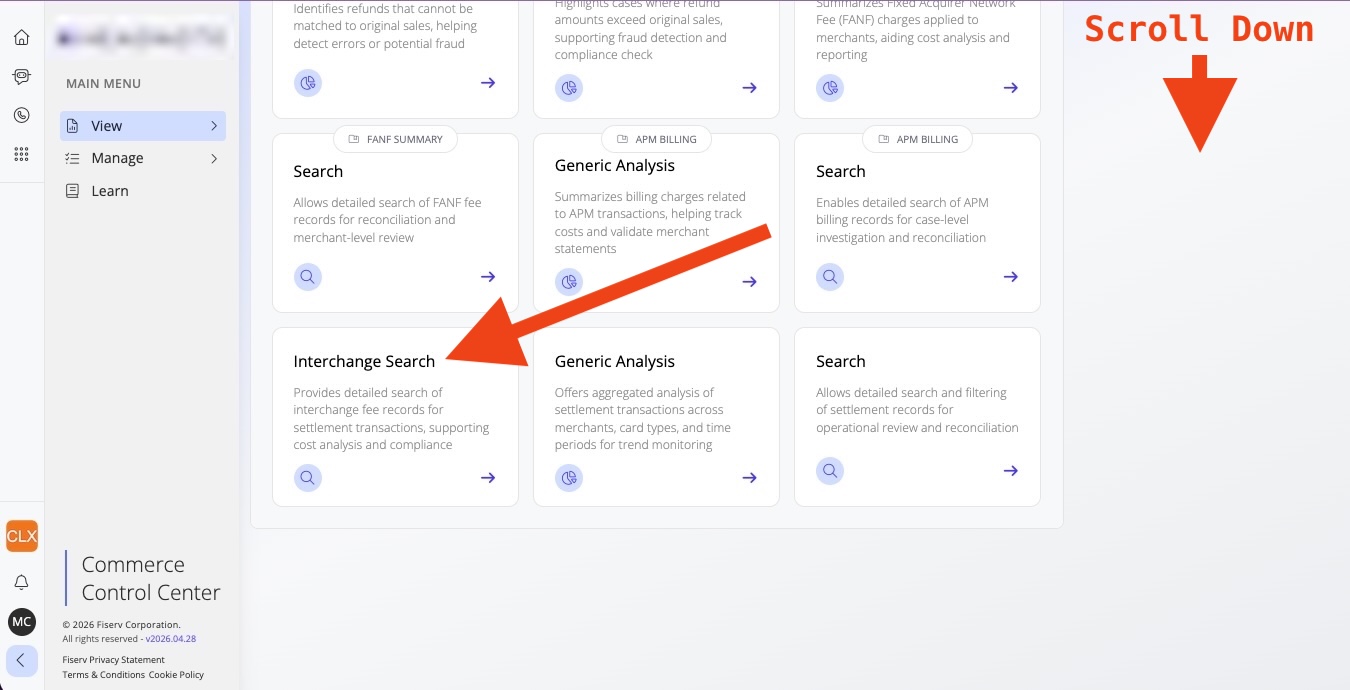
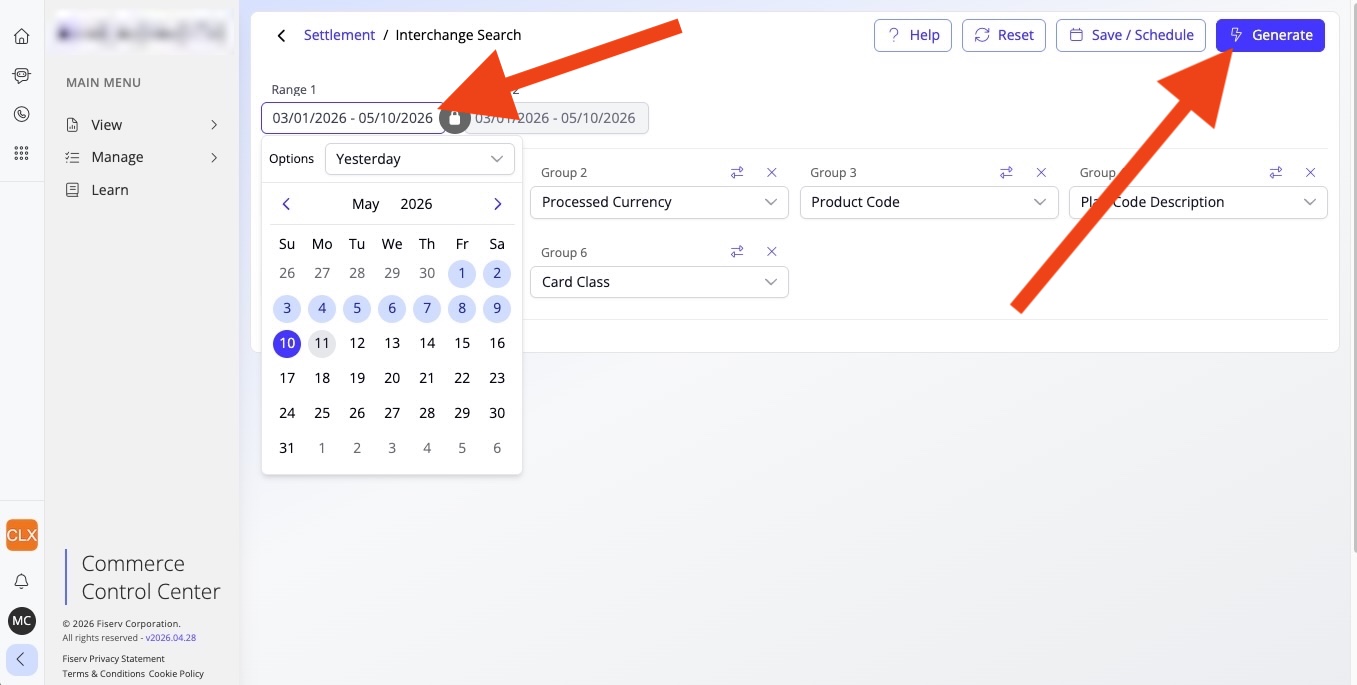
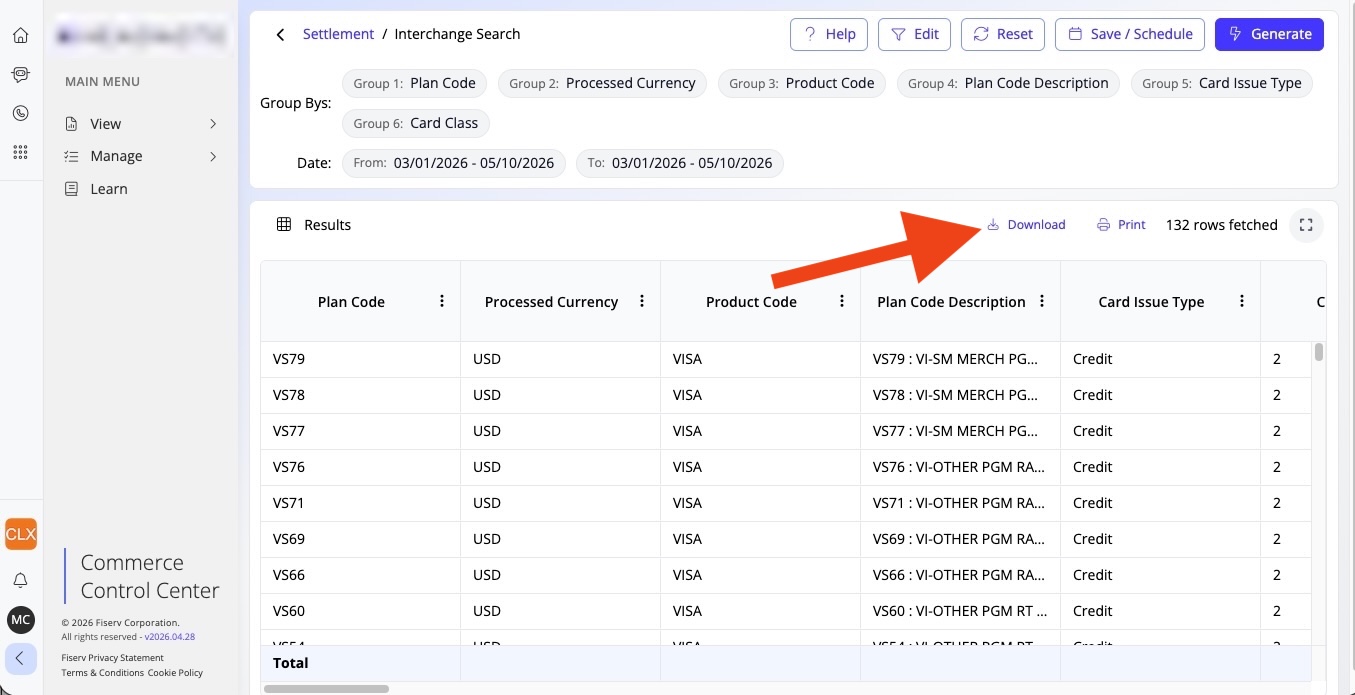
Step 3: Change the date range to start on March 1st, 2026 and go until today, then click Generate
Step 4: Click Download
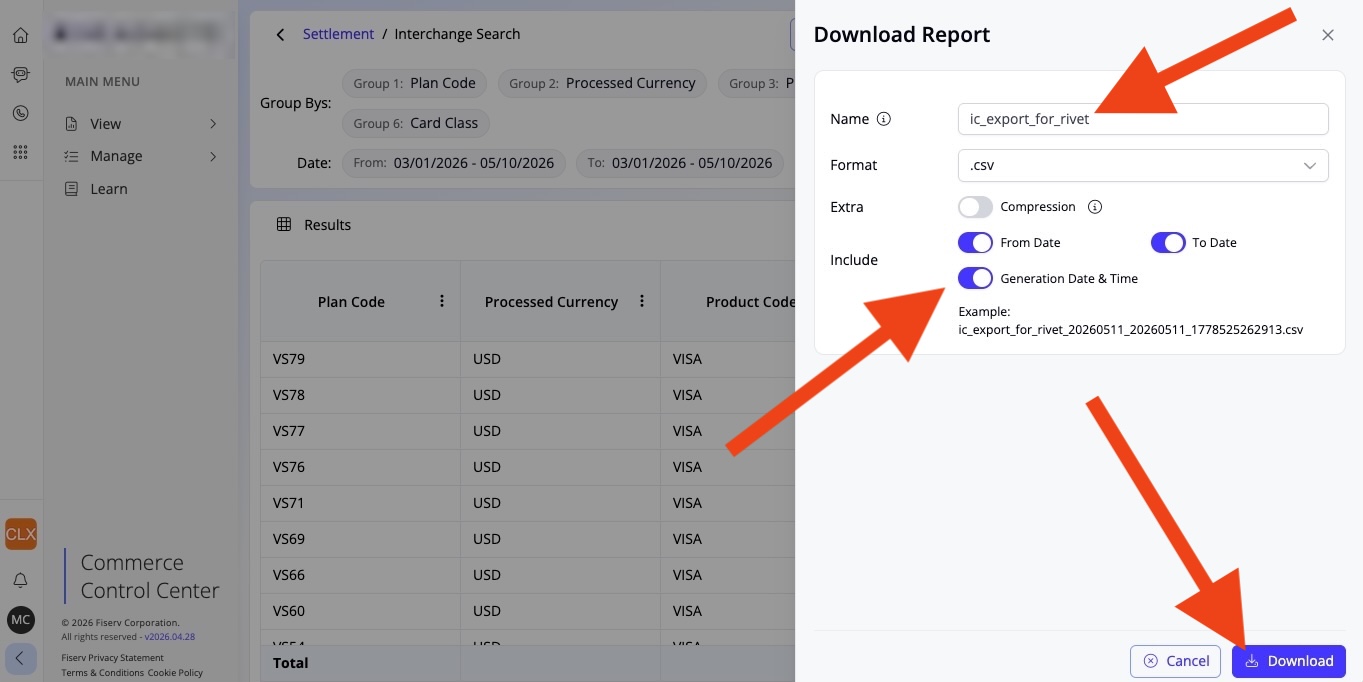
Step 5: Name the report something useful and turn on all the date and time flags under the Include section as shown in the screenshot, then click Download
Step 6: Your report will look similar to this below